
Sheet Ninja Free1.15 - Google Play
You'll be able to see results in few seconds.
Publisher Description
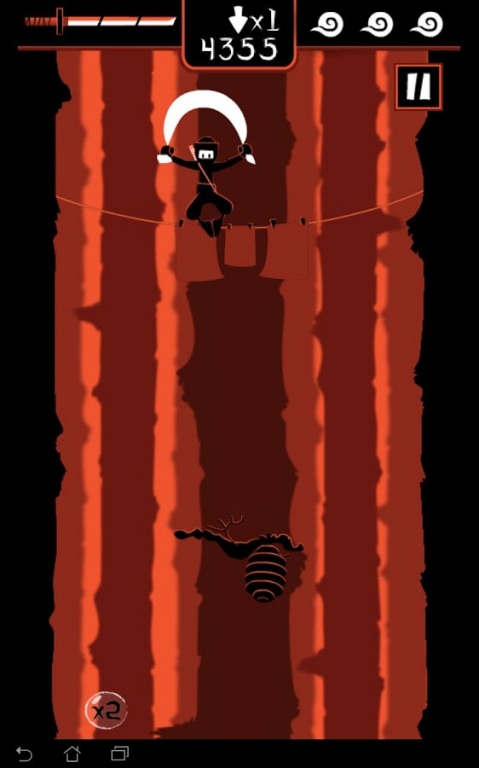
Are you tired of going up in every single game?
Go down for once!
Glide through the air with your ninja and his favourite sheet!
Find the fastest and safest landing path as on your way down you will have to dodge hundreds of branches and dangerous animals!
Challenge your friends and fight for a place in the podium of the Scoreloop rankings! Try to beat our scores!
An endless adventure where you will find randomly generated scenarios in every game.
Tilt the device in all directions to control your ninja´s fall. His survival is in your hands!
Surprisingly detailed graphics and amazingly fluid animations.
Local and global rankings (Scoreloop). Be the best ninja of your family, your friends and the entire world!
UPDATE!: New difficulty modes added.
Support us!: "x3" and "x4" unavailable at free version. Buy full version,get this power-ups and remove ads.
Devices tested:
- Nexus One
- HTC Desire
- HTC Desire HD
- Motorola Defy
- Sony Xperia U
- Sony Ericsson Xperia Neo V
- LG L3
- Samsung Galaxy Mini
- Samsung Galaxy S2
- Samsung Galaxy S3
- Huawei U8650
- Sony Xperia Tipo
- Asus Transformer TF101
- Samsung Galaxy Tab P9000
- Nexus 7
HTC Wildfire and devices with similar specs are not supported.
About Sheet Ninja Free
The company that develops Sheet Ninja Free is GloveCat. The latest version released by its developer is 1.15.
To install Sheet Ninja Free on your Android device, just click the green Continue To App button above to start the installation process. The app is listed on our website since 2013-02-18 and was downloaded 0 times. We have already checked if the download link is safe, however for your own protection we recommend that you scan the downloaded app with your antivirus. Your antivirus may detect the Sheet Ninja Free as malware if the download link to com.glovecat.sheetninjafree is broken.
How to install Sheet Ninja Free on your Android device:
- Click on the Continue To App button on our website. This will redirect you to Google Play.
- Once the Sheet Ninja Free is shown in the Google Play listing of your Android device, you can start its download and installation. Tap on the Install button located below the search bar and to the right of the app icon.
- A pop-up window with the permissions required by Sheet Ninja Free will be shown. Click on Accept to continue the process.
- Sheet Ninja Free will be downloaded onto your device, displaying a progress. Once the download completes, the installation will start and you'll get a notification after the installation is finished.
Program Details
System requirements
Download information
Pricing
Version History
version 1.15
posted on 2013-02-18
1.11-1.12-1.13 Minor bugfixes (users feedback).,1.1,Difficulty modes added (easy,normal,hard).,Minor bugfixes.,1.03,Useless permission removed.,1.02,Better loading time.,"Back to main menu" button added to the tutorial.,1.01,Minor bugfixes
version 1.15
posted on 2013-02-18
Several fixes and updates
Disclaimer
Official Google Play Link
We do not host Sheet Ninja Free on our servers. We did not scan it for viruses, adware, spyware or other type of malware. This app is hosted by Google and passed their terms and conditions to be listed there. We recommend caution when installing it.
The Google Play link for Sheet Ninja Free is provided to you by apps112.com without any warranties, representations or guarantees of any kind, so access it at your own risk.
If you have questions regarding this particular app contact the publisher directly. For questions about the functionalities of apps112.com contact us.
